
Features
Bisa carries work from a stated want to a running outcome: you set the goal, agents do the work on the harnesses you already have, and you decide what matters. Here is all of it, and at the end, what is not there yet.
Inbox and Pulse
The Inbox is the one place anything waits for you. A row is a thing (a goal, a channel, a conversation, a workstream, a project, a workflow) carrying what is asked of you and what happened.
- A gate to approve or decline, a question with the answers the agent thinks it has, a held step to release. I'm not sure sends the agent back with a narrower question.
- A harness waiting at its prompt in a terminal is a row too, with Open the terminal.
- Keyboard first: j k to move, Enter to open, a to reach the answer, e to mark read.
- The Pulse is the live feed of what happens across the workspace: All, Workspace, Goals, Workflows, Projects, Channels, Agents and Node, paged back as far as it goes.
Agents and teams
A harness is a coding agent you run from a terminal, such as Claude Code or Codex CLI. Bisa ships none: it drives the ones on your machine (every harness, and what Bisa does with each). An agent is a definition on top of one: a prompt, a harness, a model plan with failover, an effort, skills and MCP servers, with an attested keypair of its own, so its work is signed as itself.
Three core agents
- The General Agent answers what is said to nobody in particular, and staffs the work: it installs from the catalog the agents and teams a goal needs, and assigns them.
- The Workflow Agent designs and repairs workflows. It asks what it needs to know and proposes, and never adopts, starts or changes one behind your back.
- The Decision-Making Agent judges where a decision point asks it, with a confidence. It holds no conversation, signs nothing, and stays off until you choose who judges.
The catalog, and what each agent carries
- The catalog: 32 agents named after jobs you recognise, 25 skills, 9 teams, 8 channels and 13 templates, installed on demand, transitively and never destructively. A fresh workspace holds the General Agent, the Workflow Agent and the
generalchannel; the rest arrives when a goal asks for it, or when you do. - Model plans: fallback, weighted, round-robin, least-busy or auto-route, with live health on each model.
- Effort: six levels from
minimaltomax, decided by the step, the model, the plan or the workspace, and fitted to what each harness and model take. - Skills delivered the way each harness reads them; MCP servers of your own over stdio or HTTP, probed for health, their tools judged like commands.
- Teams of agents and people, one level deep: a team holds agents and people, never another team. Assign a goal to a team and the work is staffed from it; stand a team down and it takes no work until you bring it back.
- An agent's private memory, encrypted to you.
The Project IDE
A full development environment where agents work beside you. A project is a real folder (created, cloned, imported or adopted) and Bisa never writes into a folder it did not create. Every piece of work gets a workstream: a branch and a checkout of its own, so switching never touches your tree, and nothing in it can be made unrecoverable.
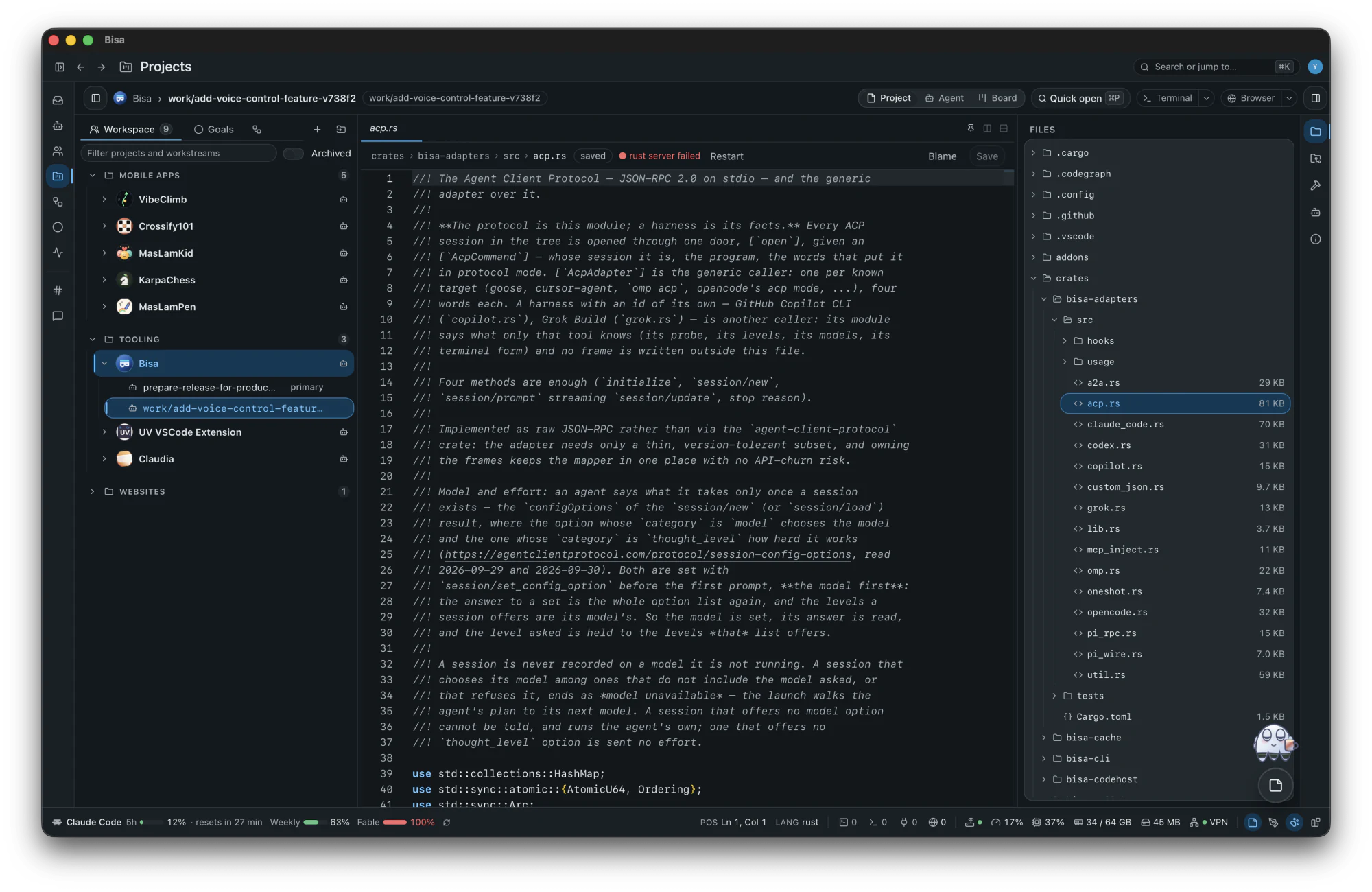
Editing and finding
- The Monaco editor; saves are compare-and-swap, never last-write-wins: a file changed under you opens a three-way merge.
- Search across the checkout and replace with a preview; quick open; language servers for diagnostics, hover and definitions.
- Blame beside the code; PDFs, pictures, video, spreadsheets, documents and slides rendered in place.
Terminals and harnesses
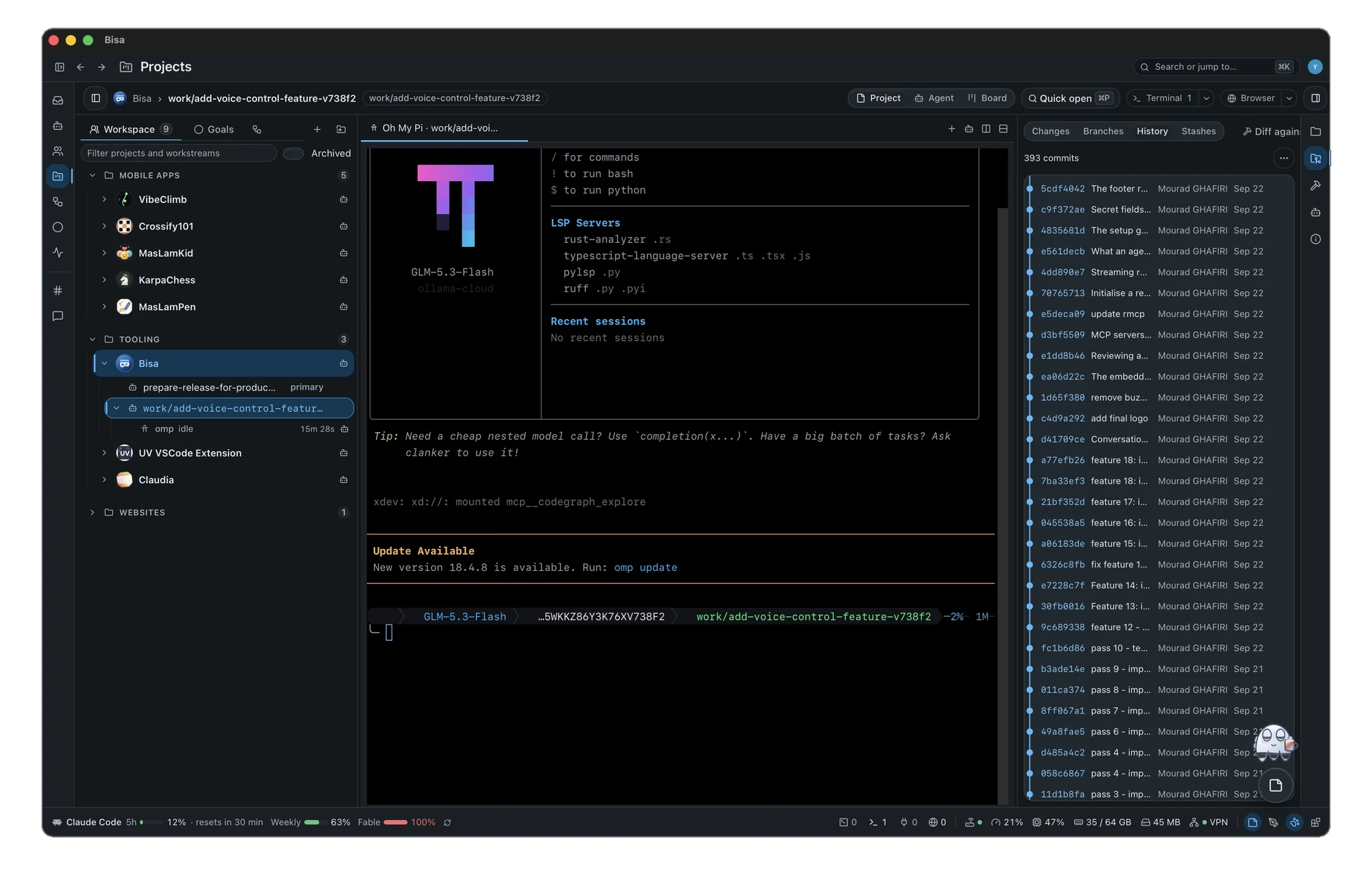
- Many shells, one tab each, drawn on the GPU; scrollback that survives a restart.
- Every installed harness in a tab, resumed with its own flag, its state on the roster as it works.
- Claude Code and GitHub Copilot CLI ask the guard before each tool runs.
Git and pull requests
- A streaming commit graph; staging by hunk or by line; stashes; interactive rebase without a terminal.
- Conflicts resolved block by block (keep mine, keep theirs, keep both) or handed to an agent.
- A recovery ref before anything moves your tree; Restore is the undo. Agents cannot reach those operations.
- Pull requests on GitHub, GitLab and Bitbucket Cloud in seven steps (commit, push, open the pull request, checks, review, merge, clean up) with an agent's review and Fix with for a comment or a failed check. Workstreams from any branch, tag or pull request.
Agents in the IDE
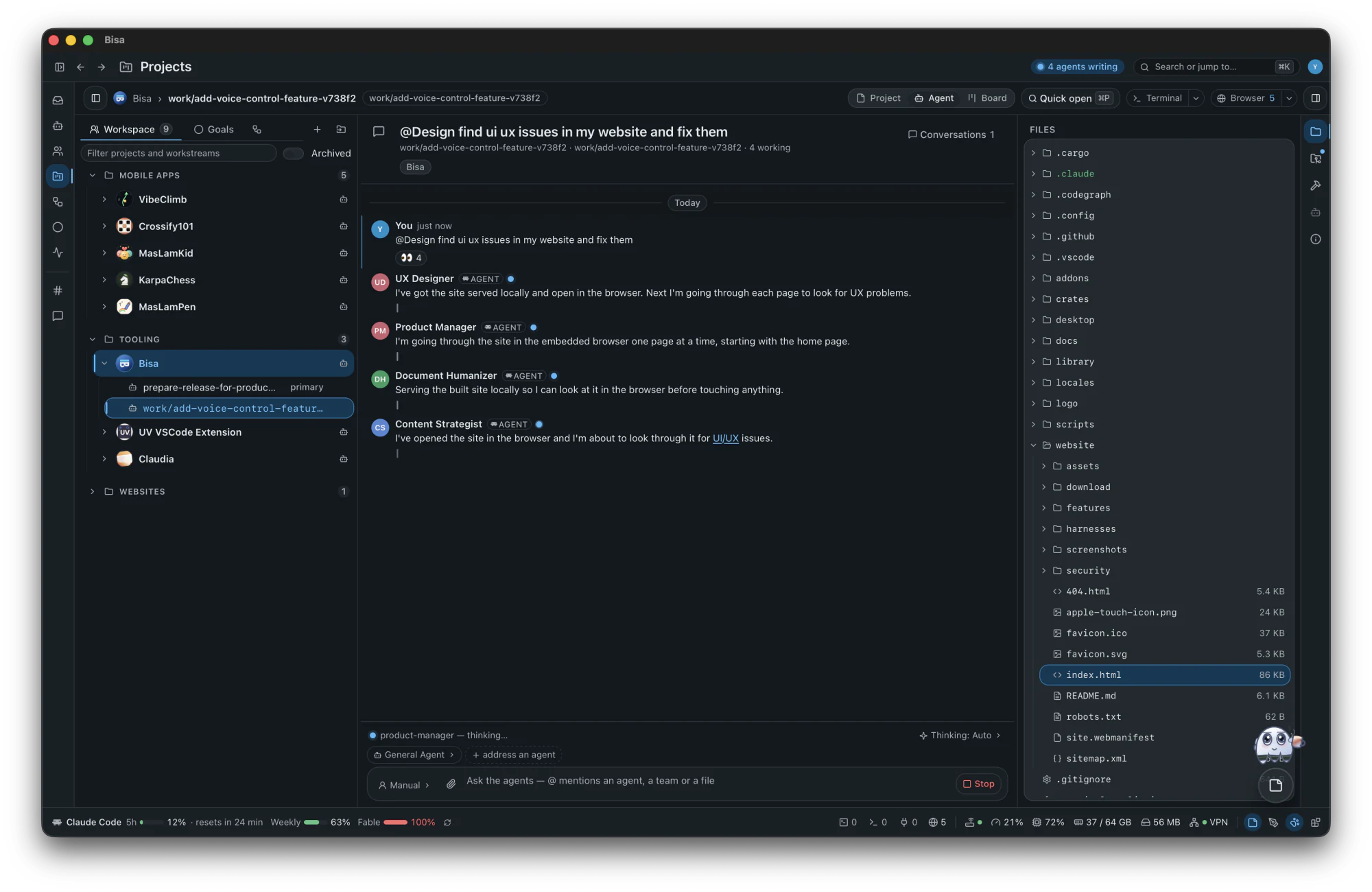
- A conversation about a checkout: address an agent, a team or a file with @.
- Manual, auto or plan: in manual, every edit waits for your Keep or Undo, by hunk, file or turn.
- Context only as chips you can see and remove; every edit attributed to its turn; any message restored to before it.
- The Board: workstreams as cards in Backlog, Todo, Doing, Done and Archived.
The embedded browser
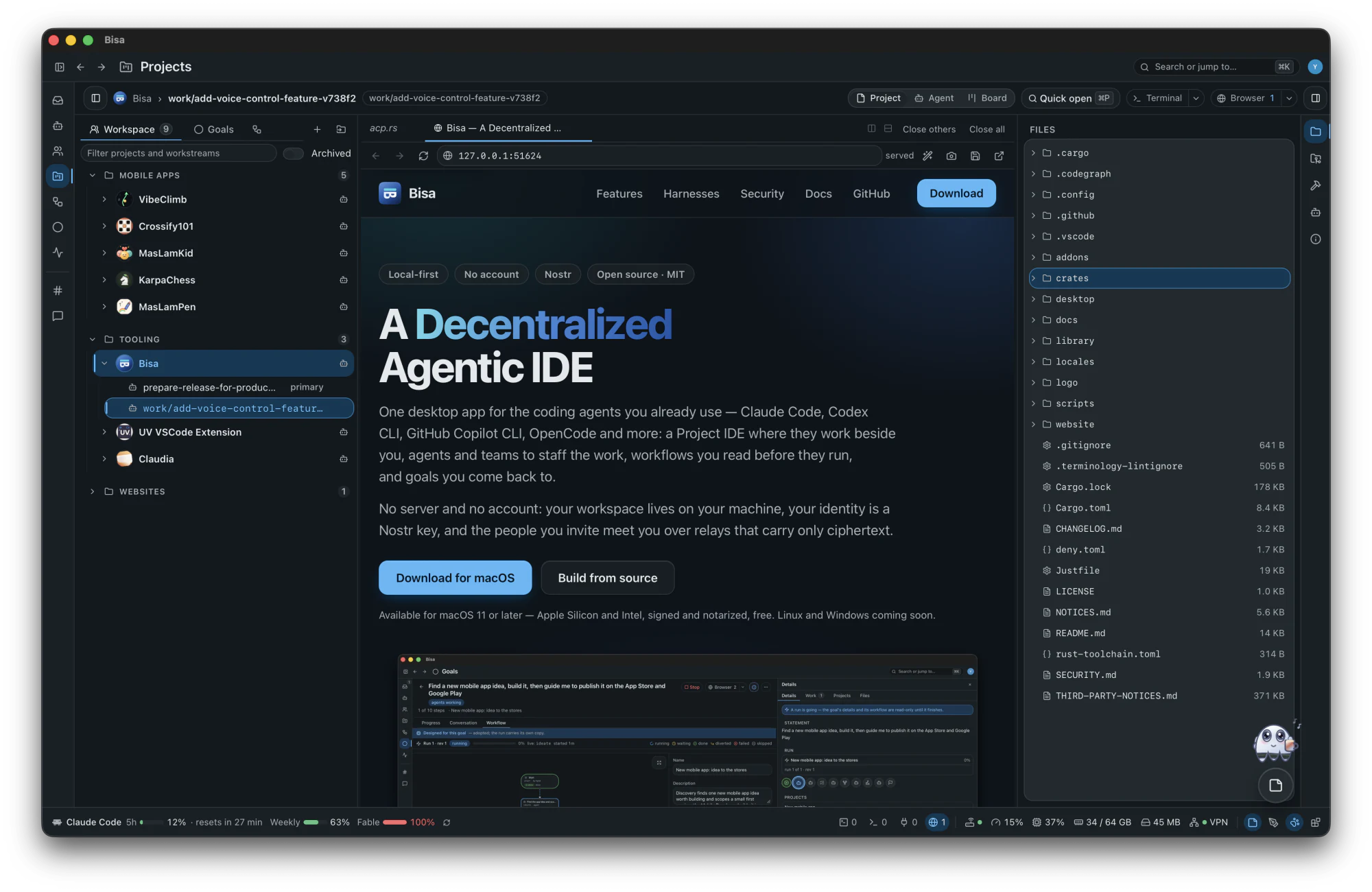
- Serve a folder of the checkout on this machine and open it beside the code.
- Agents browse with 21 tools on the app's own tabs.
- No page, this machine's or the web's, has a door into the app.
Annotate for agents
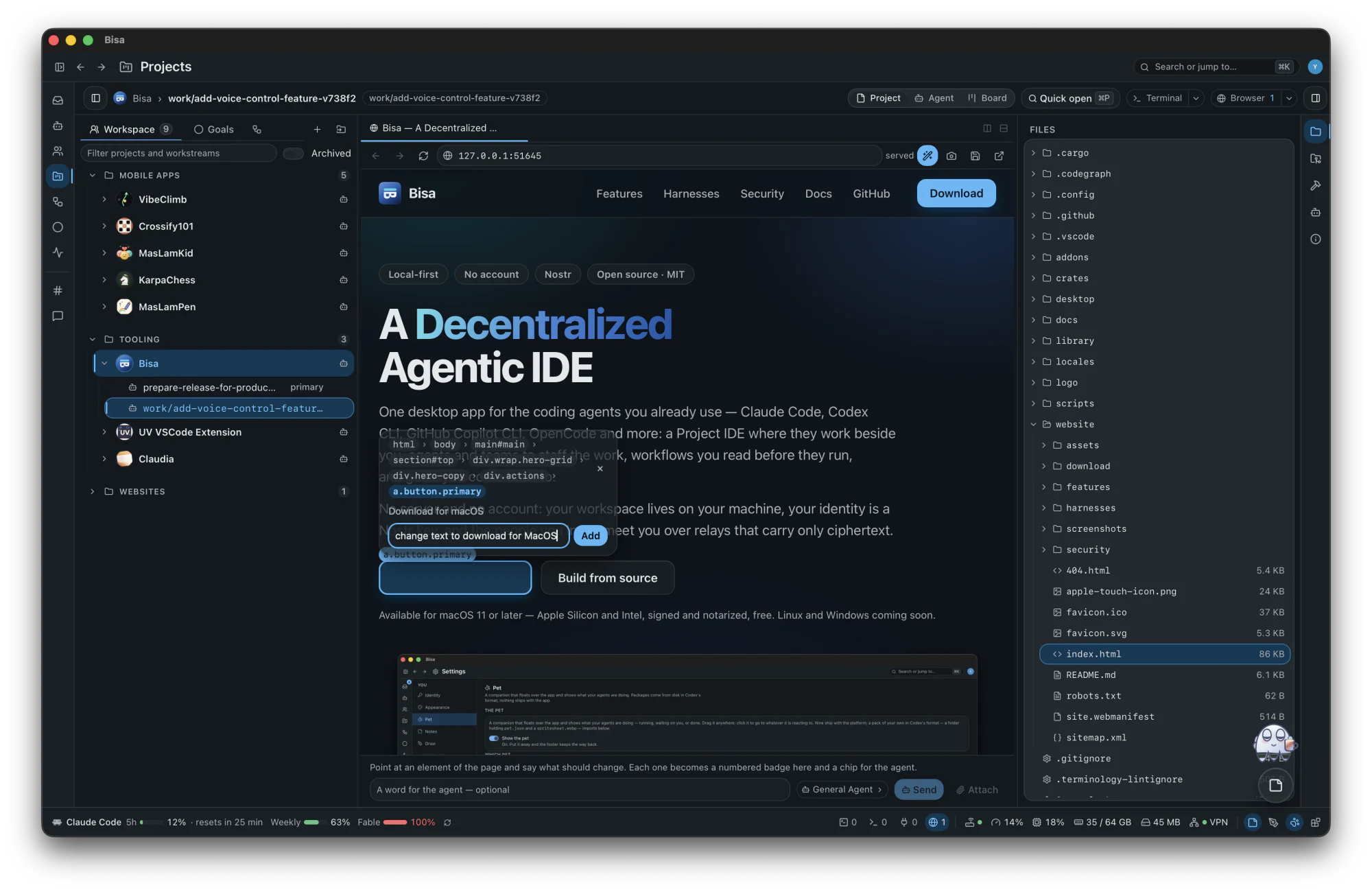
- Point at an element of a page and say what should change.
- Each note becomes a numbered badge on the page and a chip for the agent, with the element's place in the page.
- Send them together to the agent you choose, with a word of your own.
Mobile Development
A Flutter checkout's simulators and emulators, the device mirrored beside the code, off until you switch it on.
Workflows
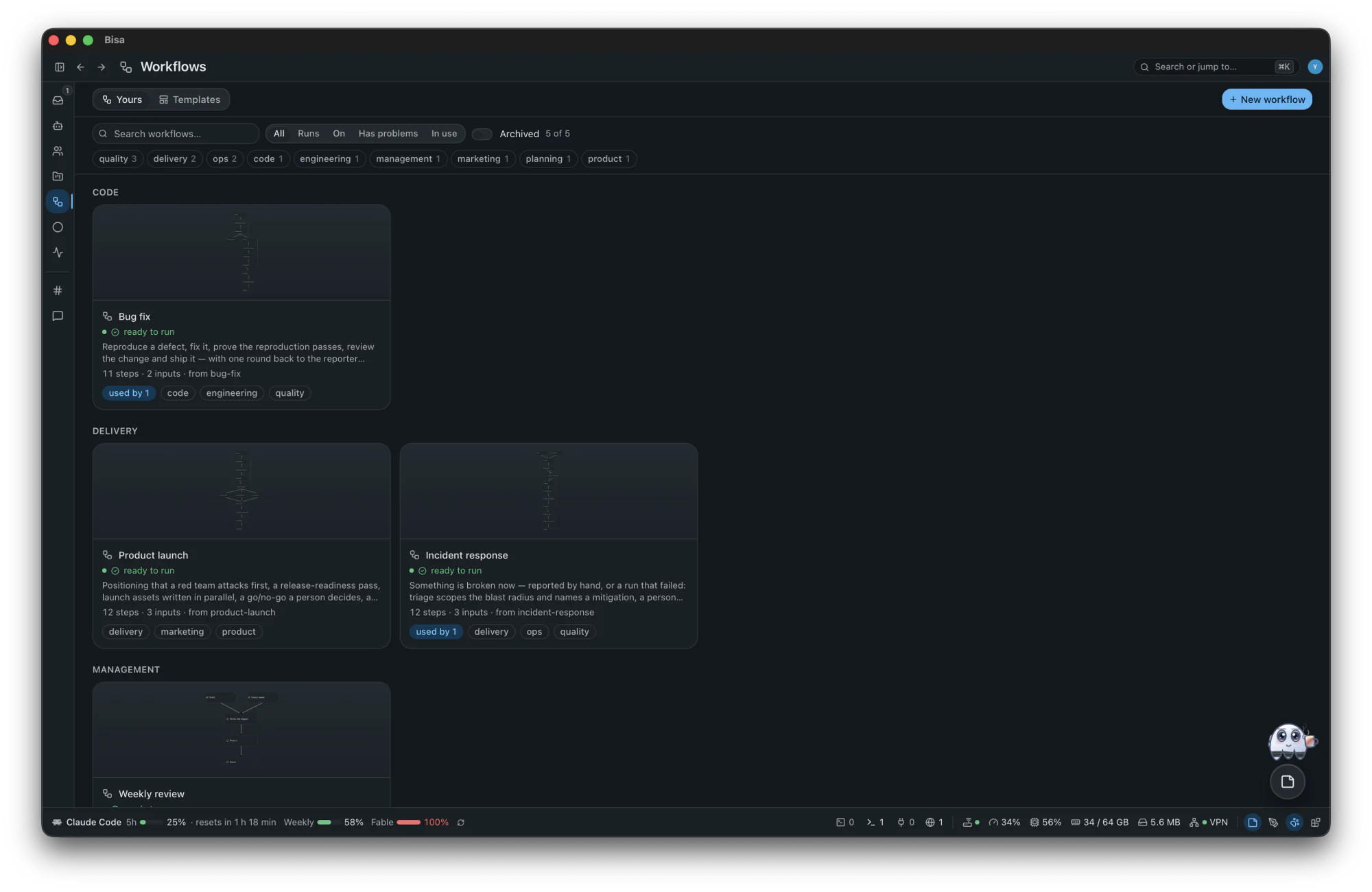
A workflow is how a piece of work runs: a small graph of steps where agents work, checks judge, people answer and approve, and the world is waited for. It runs on a goal, or on its own in the workspace, as many at once as you start.
A graph of steps
18 types of step in four families: events, what happens; gateways, what routes; loops, what repeats; tasks, what works. Conditions are a closed, typed set nesting at most eight deep: there is no expression language to script around.
Made three ways
Drawn by hand in the designer, installed from one of 13 templates, or proposed by the Workflow Agent from the closest template and adopted by you.
Run, watched, kept
Each step wears its state on the canvas, what needs a person waits in the Inbox, and every fact is a signed event in the run's journal. Budgets of tokens, cost and wall time hold each run; a spent budget pauses a goal's or a workflow's listening until you look.
The designer
Where a workflow is drawn and read, such as the catalog's Bug fix: reproduce a defect, fix it, prove the fix, review it and ship it, with a way back to the reporter when the defect cannot be reproduced.
- The palette: every step, in its four families. Drag one onto the canvas where it belongs, or click it to add.
- The canvas: the graph, read top to bottom, a branch for each answer and a way back when a check fails. Tidy lays it out again.
- The properties of the workflow, or of the step you select: name, description, tags and inputs, and its problems, said before anything runs.
- Three panes on the rail at the right edge: Properties, Agent and Runs. Above it all: the revision, whether it runs, and what uses it.
- Every save a revision; when somebody else saved first, keep yours on top of theirs or take theirs.
The Workflow Agent, beside the canvas
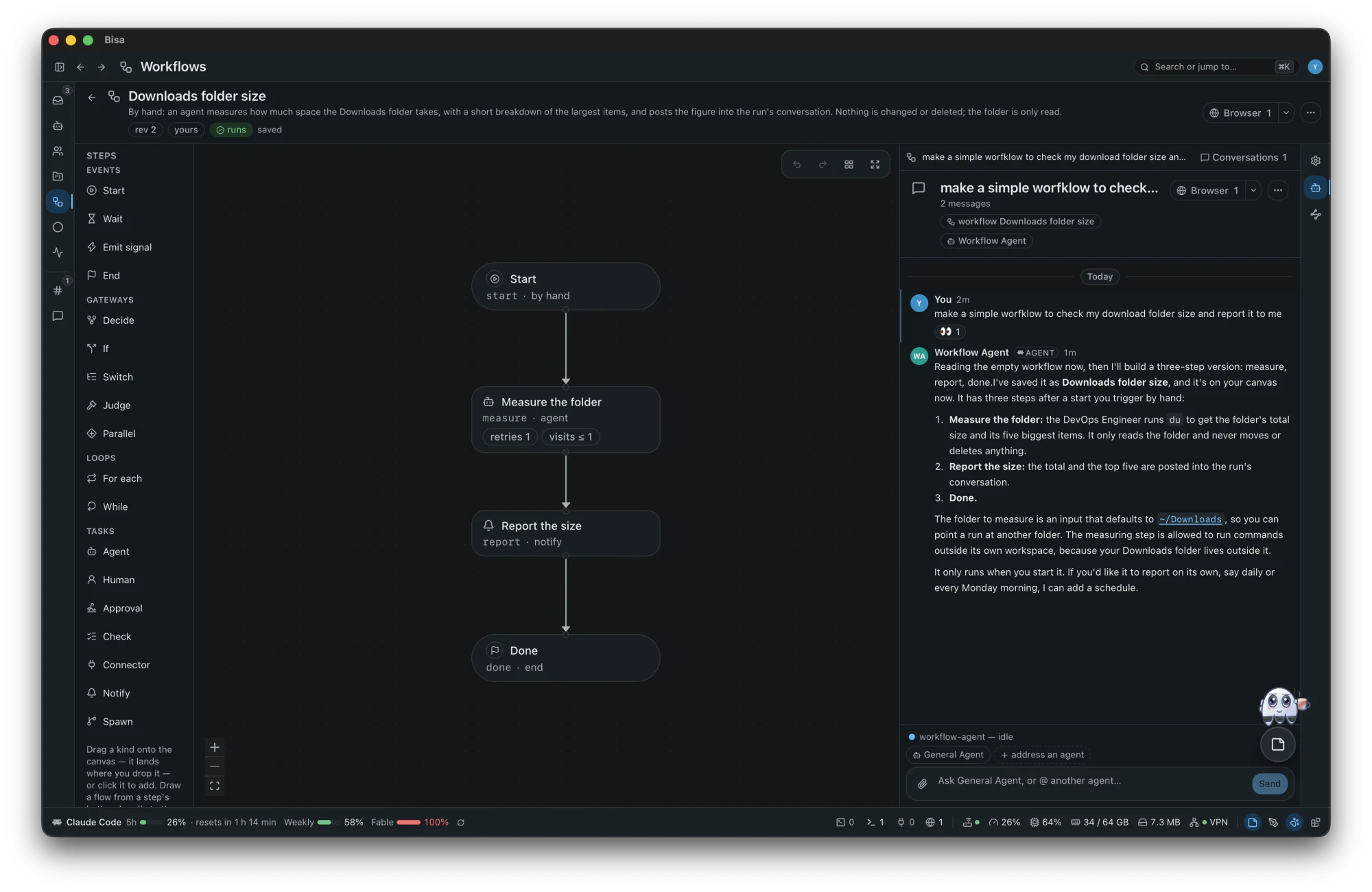
Ask it in the Agent pane, in your own words, to draft a workflow, add a step, change a branch or explain the graph. It saves the workflow, and the canvas follows while you watch.
- It says what it built and why, step by step, and what it could add next, such as a schedule.
- Each workflow keeps its own conversations, beside its canvas.
- What it saves is a new revision of the workflow, like any save of yours.
Every run traces back to what started it
What starts a workflow is part of it: a start step for each way in. Turn a workflow On, or let a goal listen, and every occurrence is written down as a durable signal that begins a run. 10 ways a run begins:
manualby handscheduleon a schedulehookwhen calledmessagewhen a message arrivessignalwhen a signal is raisedprojectwhen a project changesrunwhen a run finishesplatformwhen the platform saysconnectorwhen an outside platform lists something newcheckwhen a check starts failing
- Nothing acts on an event directly. It is written down, and a run begins from what was written: one signal, one run, under the same gates and budgets as work you started yourself, even across a crash.
- Boundary events on a running step: a timeout, a reminder, a message, a signal, each diverting the step or acting beside it.
- Public hooks are off until you turn them on, and a call proves itself with its secret or a GitHub-compatible signature.
- Templates install Off; four of them also begin on an event: a schedule, a hook, a failing check, a failed run.
Goals
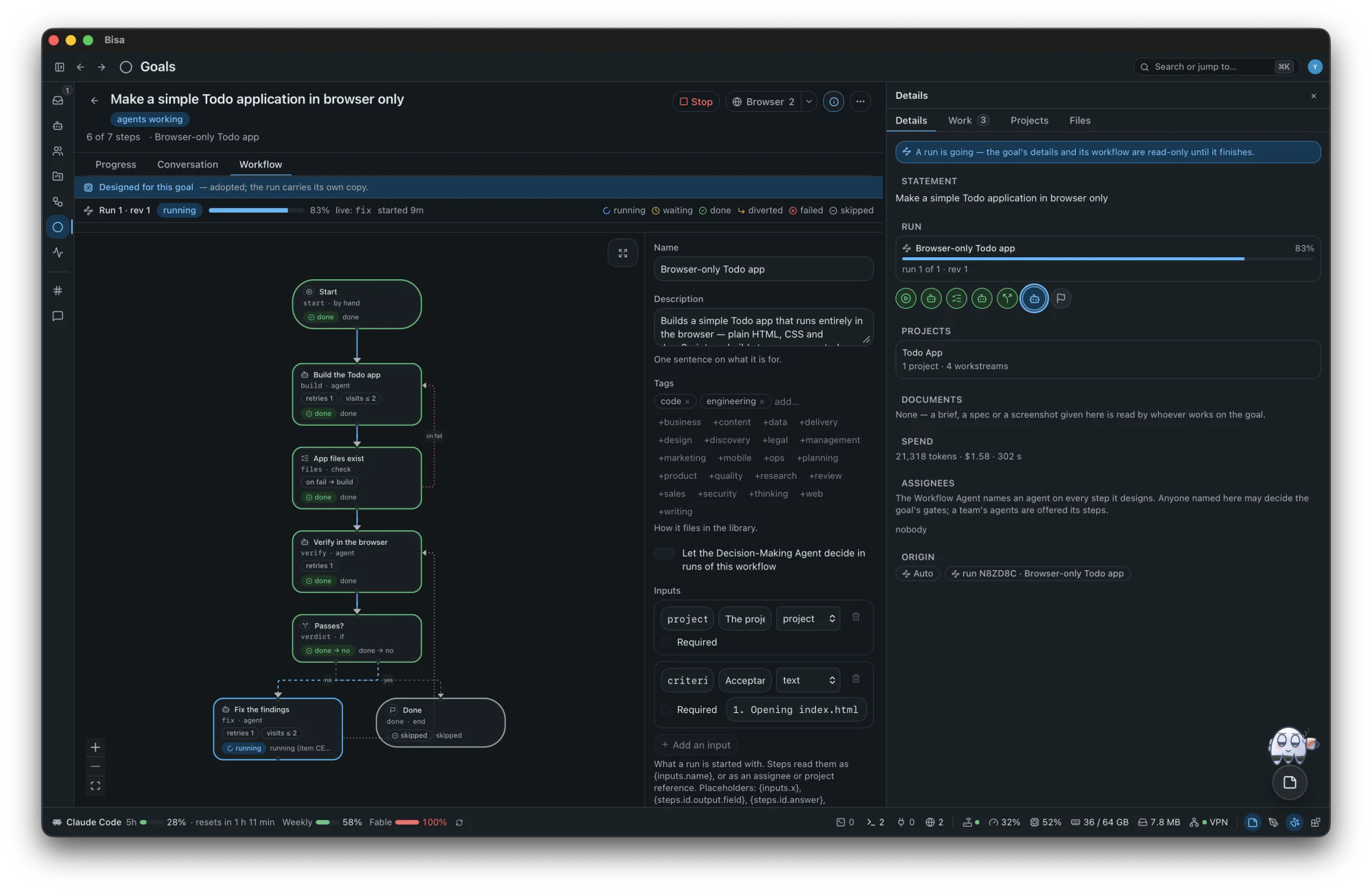
A goal is the durable thing you come back to: a stated want, the workflow that makes it real, the run that carries it, and a signed journal of everything that happened. Its status (draft, running, waiting, done, failed, closed) is wherever its run has got to, and it always says who holds it: you, agents, the world, or the design.
| Mode | Who designs | Who adopts and runs |
|---|---|---|
| auto (the default) | the Workflow Agent, with a default for every input | the platform adopts, starts and repairs it, and asks you after three failed repairs, or where only a person can act |
| guided | the Workflow Agent proposes | you: Adopt and start, Request changes, Edit the steps or Decline |
| manual | you, on a blank canvas | you; the agent drafts only when asked |
- One live run at a time, others queued behind it; Stop, Restart, Close with a word on why, or the goal that replaces it.
- A goal can listen:
every Monday, post the digest
. Its workflow's starts are heard until you stop it. - Documents as context, projects attached and detached without a byte moving on disk, and a retirement that says what it would touch before it touches it.
An example, in guided mode
“Find a new mobile app idea, build it, then guide me to publish it on the App Store and Google Play”
- you
You say it
In the app's New goal, in one sentence. The goal is captured; nothing runs yet.
- design
The Workflow Agent proposes
It starts from the closest template (Mobile release covers the build-to-store half), asks you first if it needs to, and proposes the steps.
- you
You adopt it
The proposal waits in your Inbox. Adopt it, ask for changes, or edit the steps yourself. The General Agent staffs it: the Researcher, the UX Designer, the Mobile Developer and the Code Reviewer are installed from the catalog.
- agents
Agents work, and ask you what is yours
The research waits for your pick; the screens are drawn; the app is built in a workstream of its own and run on the simulators; tests and review loop until it is shippable.
- you
You approve the submission
The gate is in your Inbox. Nothing leaves for a store before your yes.
- with you
Guided through both stores
The Mobile Developer walks each store's listing and submission with you: you sign in on the embedded browser's tab, and the guard asks you before each submission goes.
- finished
Published
The run ends. The goal's journal keeps every step, signed, and a goal can listen, to run the next release on a schedule.
Channels, direct messages and conversations
- Standing channels with rosters: a directory, not a subscription, so nobody answers unless addressed.
- Direct messages with people and agents, encrypted pairwise to the people in them.
- A message that names nobody reaches the General Agent, which answers or hands it on.
- Conversations about any goal, workflow, project, workstream, note or drawing; replies stream with the agent's thinking folded above; react, reply, retract.
- Artifacts render live (pages, charts, sheets, decks, PDFs, documents) and save where you choose.
Settings and the desktop
- One registry at three scopes (this machine, the workspace, a project), nearest winning, every control showing where its value comes from.
- You, Workspace, Capabilities, Library, Git and code hosts, Security, Decision Settings, Automation, Project IDE, Performance and Node.
- Update, from your profile: the latest release on GitHub set against the one you run, with the download and what changed one click away.
- Five theme families, each light and dark: Glass, Harbor, Orchard, Dune and Suede; a keymap with default, VS Code and vim presets.
- The menu bar icon, system notifications by category, and every screen back as you left it.
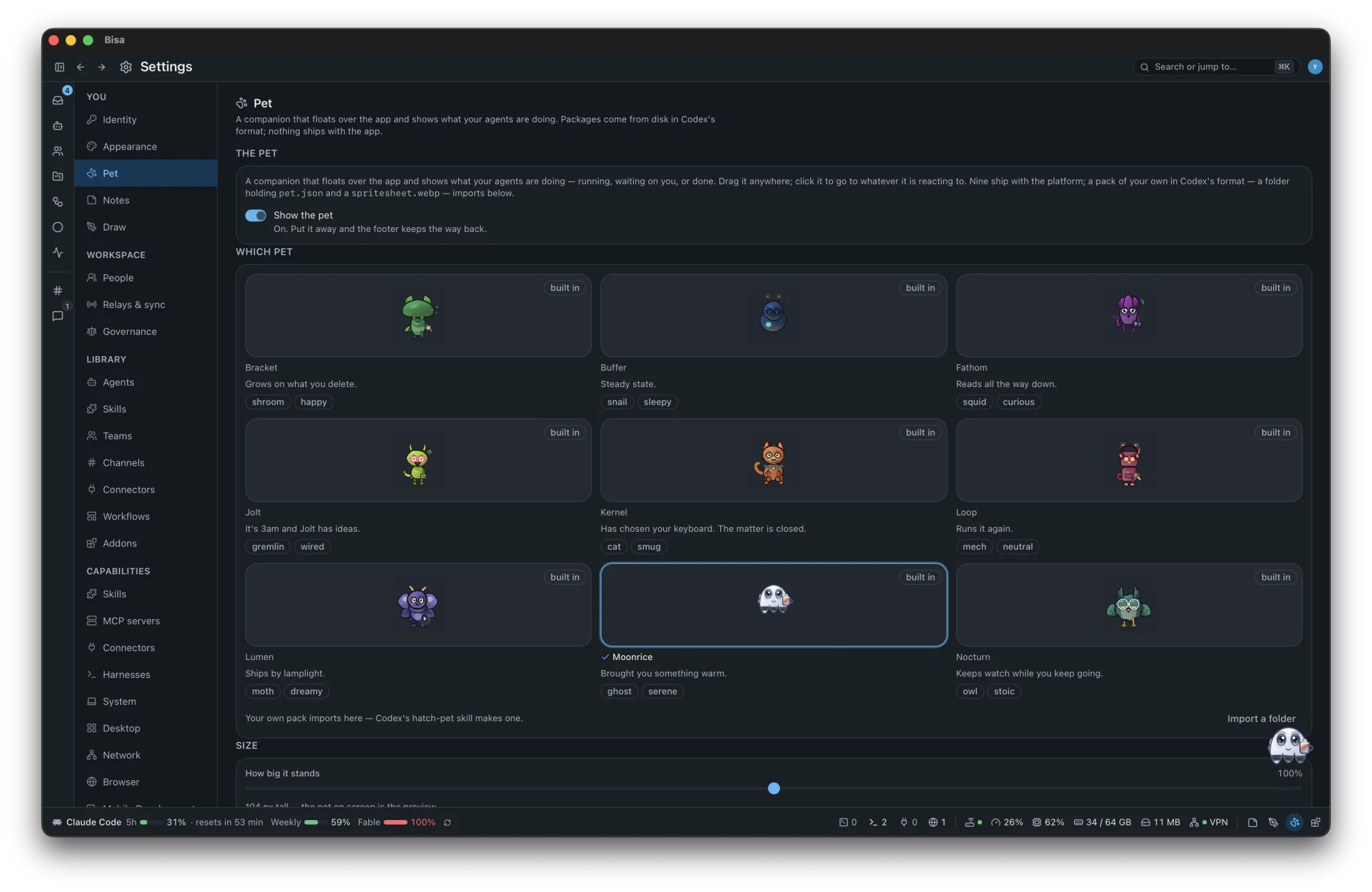
- 9 pets, one keeping you company while agents work: running, waiting on you, or done. Drag it anywhere; click it to go to whatever it is reacting to.
Collaboration and people
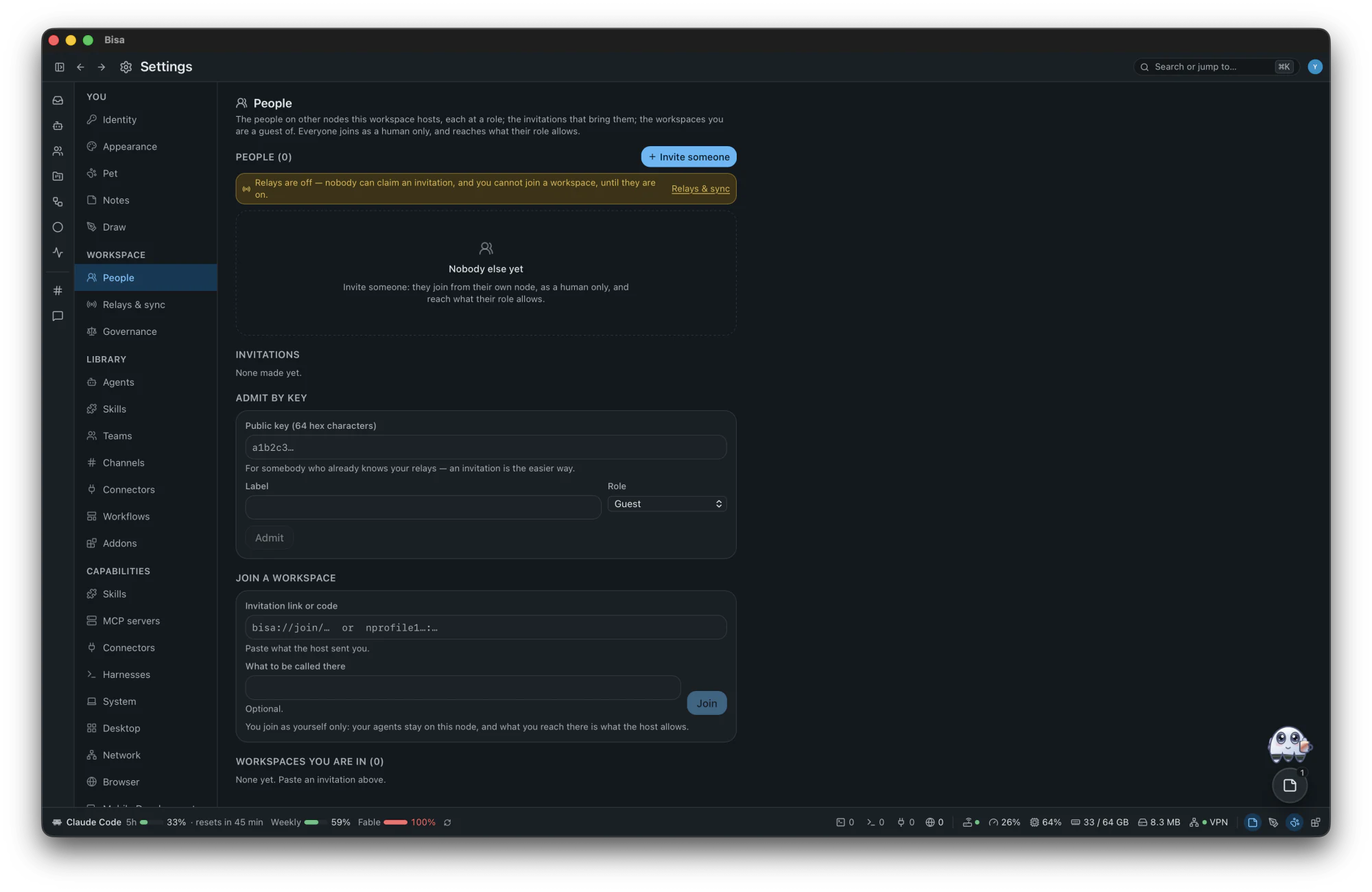
Invite people from other machines into your workspace, as humans, at a role you choose, over ordinary Nostr relays: optional, and off by default. A workspace with no relay is complete.
- Your identity is a Nostr keypair minted on first run, your
npub. Nothing to sign up for. - An invitation is a link, a code or a QR: single-use, expiring, its secret kept only as a hash.
- Guest, member or admin; you decide who may decide which gates. People bring no agents.
- Every message from outside is read by the Classifier before anyone hears it.
- Gift wrap · NIP-59an ephemeral key, a recipient
- Seal · NIP-44encrypted for one recipient
- The factsigned by its author
- Seal · NIP-44encrypted for one recipient
What a relay sees
ciphertext · a recipient key · when, and how big
Never
what the fact is, who wrote it, what it says
Encrypted end to end, node to node: every fact that leaves your node is sealed for one recipient (NIP-44) and gift-wrapped (NIP-59), for each person who may read it, with no shared key. In a hosted workspace the host's node is an end: it opens what it receives and seals it again for each member. Exactly what is encrypted, and to whom.
Connectors
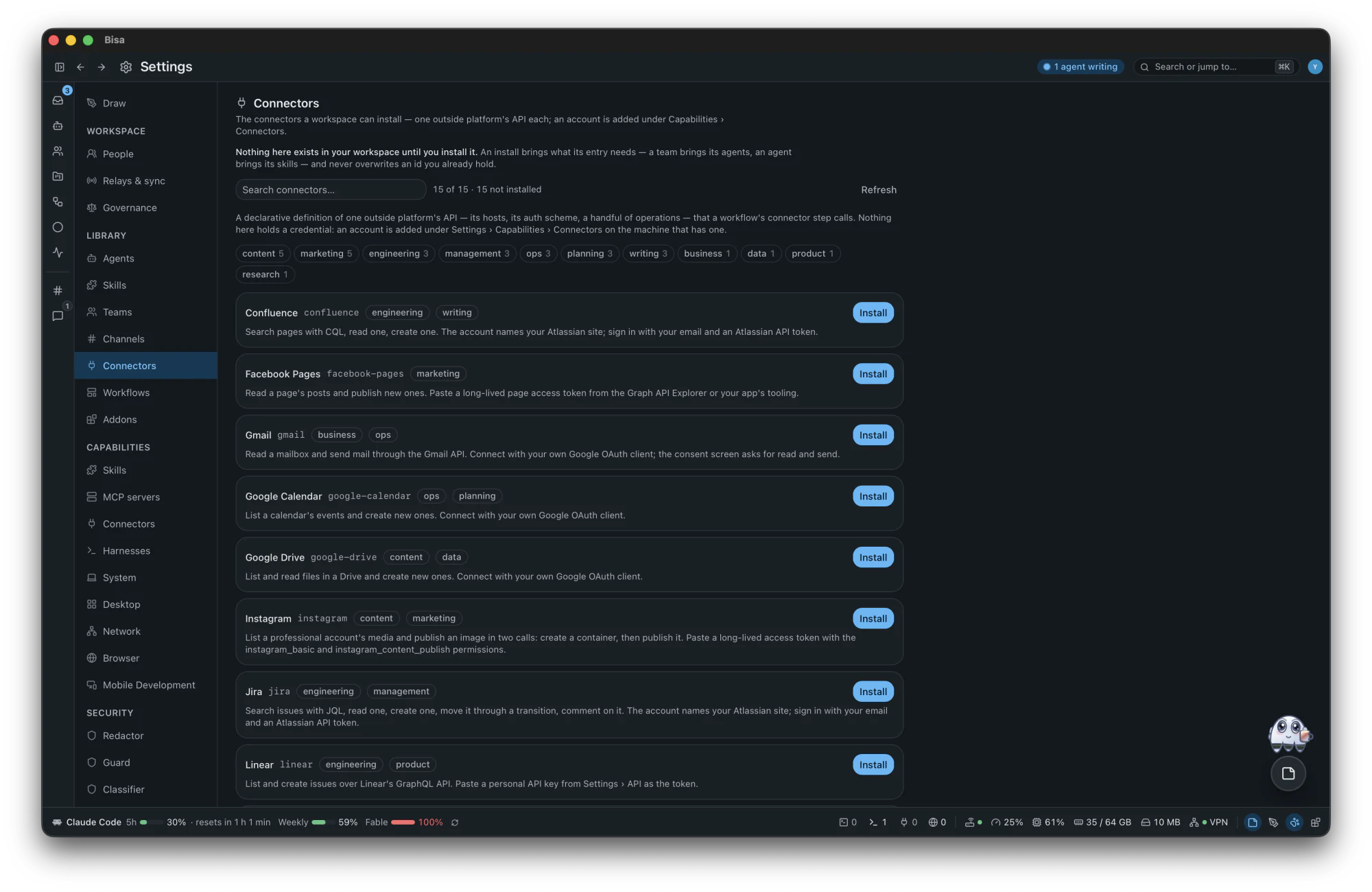
15 connectors ship in the catalog, each a file you can read; your own is a TOML definition, not a change to the platform.
ConfluenceFacebook PagesGmailGoogle CalendarGoogle DriveInstagramJiraLinearNotionObsidianSlackTikTokTrelloXYouTube
- Accounts with an API key, a bearer token, basic auth, OAuth 2 with PKCE or a signed JWT, each checked as itself; secrets in the keystore, never in a record or a prompt.
- A writing step has an approval before it, or you mark it to run unattended; every write is keyed, or stopped.
- What a platform lists as new can begin a run: one run for each new item.
- A host that fails five times rests for thirty seconds before it is called again.
Notes
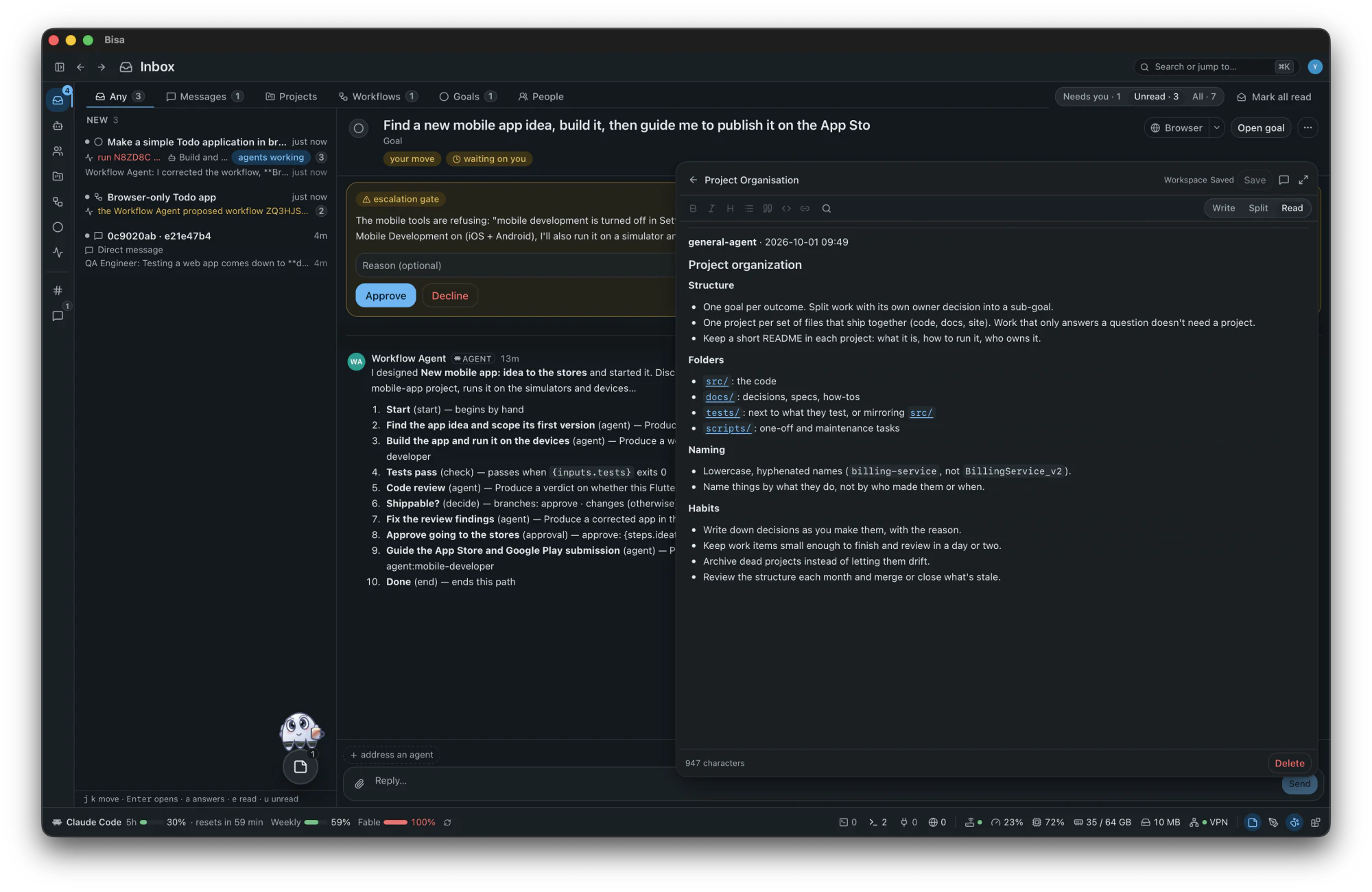
A markdown note about the workspace, a project, a goal, a workflow, a channel or this machine, opened over whatever you are looking at and kept in its place while you move around.
- Write, Split and Read views; it saves as you stop typing, with find and replace.
- Ask an agent from the note: it reads the note first, and writes into it only when you ask, and then only adds.
- Your notes are a git repository of their own, and they never travel to other members.
Drawings
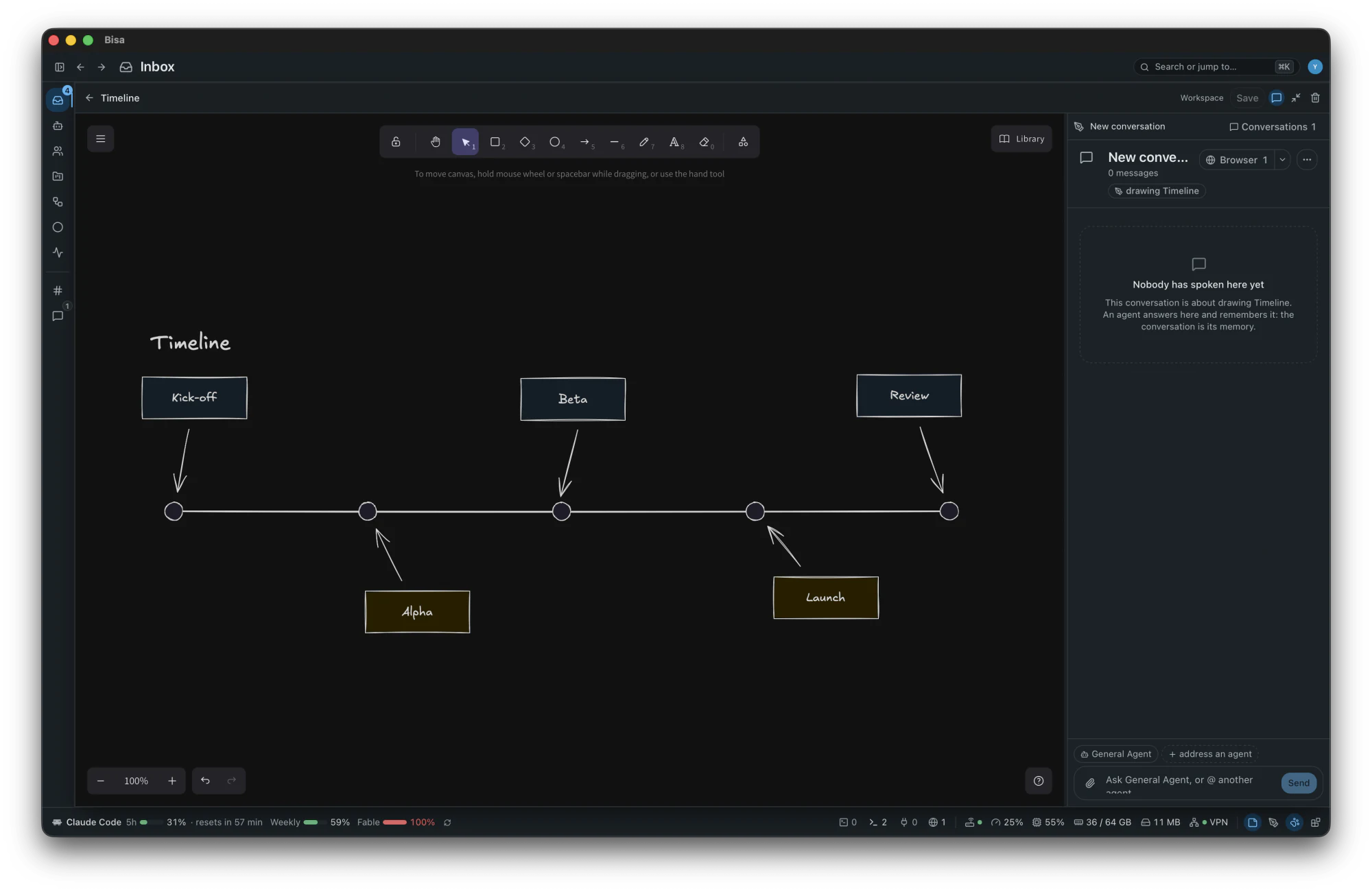
An Excalidraw canvas over the app (a system's parts, a flow, a board, a map) with ten templates and the platform's own shape libraries.
- Ask an agent and watch it draw: boxes, arrows bound between them, frames, and a Mermaid flowchart laid out into real shapes.
- A drawing travels to every member of the workspace, and any member's agent can read it and draw into it.
- Who may draw is yours to say: everyone, the agents that carry the drawing skill, or nobody. Drawings are a git repository of their own too.
Security
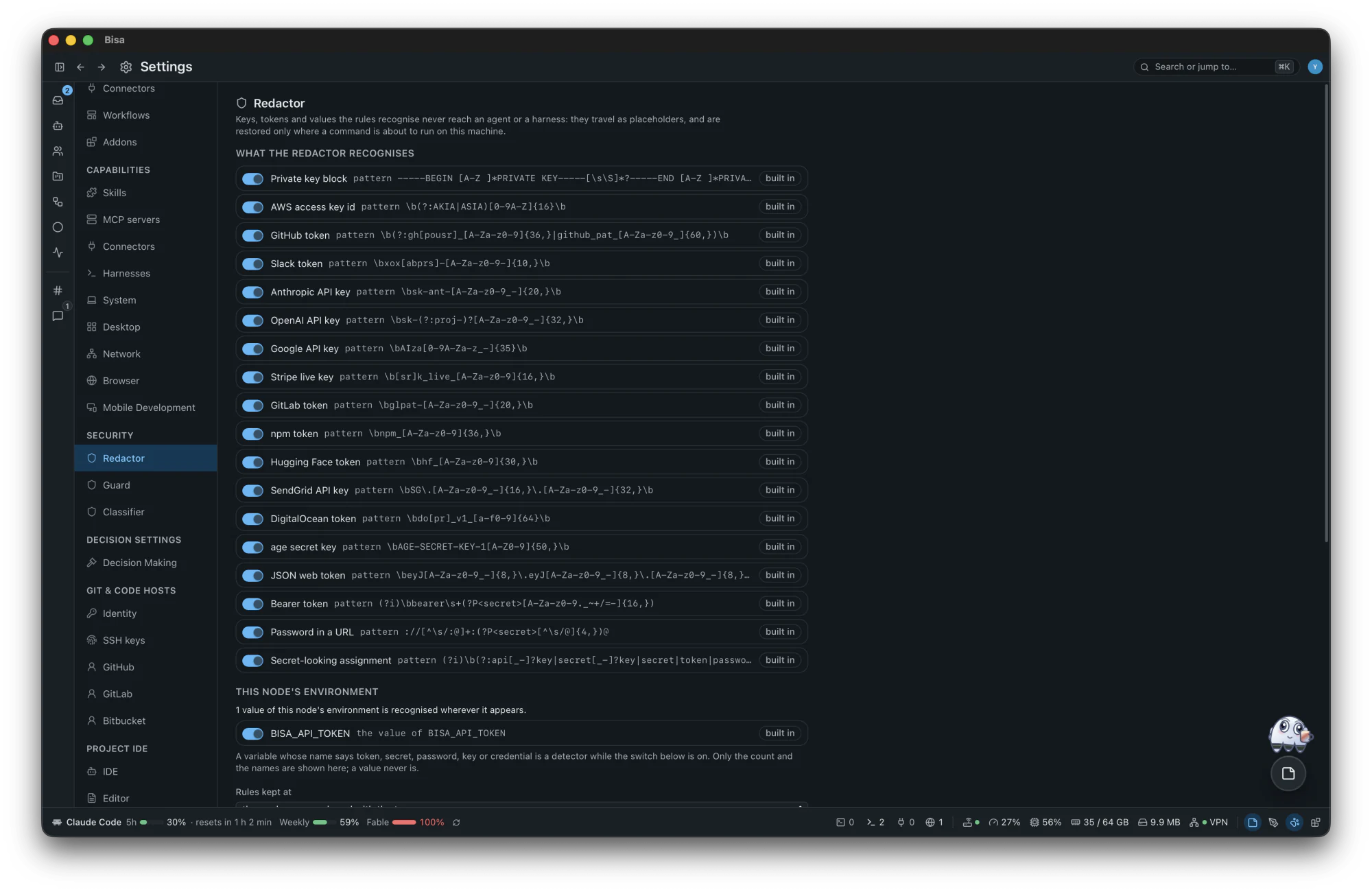
Three guards are on from the first run; a publish gate stands before a push or a pull request; a recovery ref comes before anything moves your tree; nothing is deleted while something points at it. They are best effort, never a sandbox.
The Redactor
A key reaches an agent as
«secret:github_token:7f3a2c», restored only where a command runs on this machine.The Tool & Commands Guard
What a guarded harness asks to run meets allow, deny, ask or classify first.
The Classifier
Reads the redacted call:
SAFE, orHARMFULand why, and never allows what the rules did not.
Decision-making
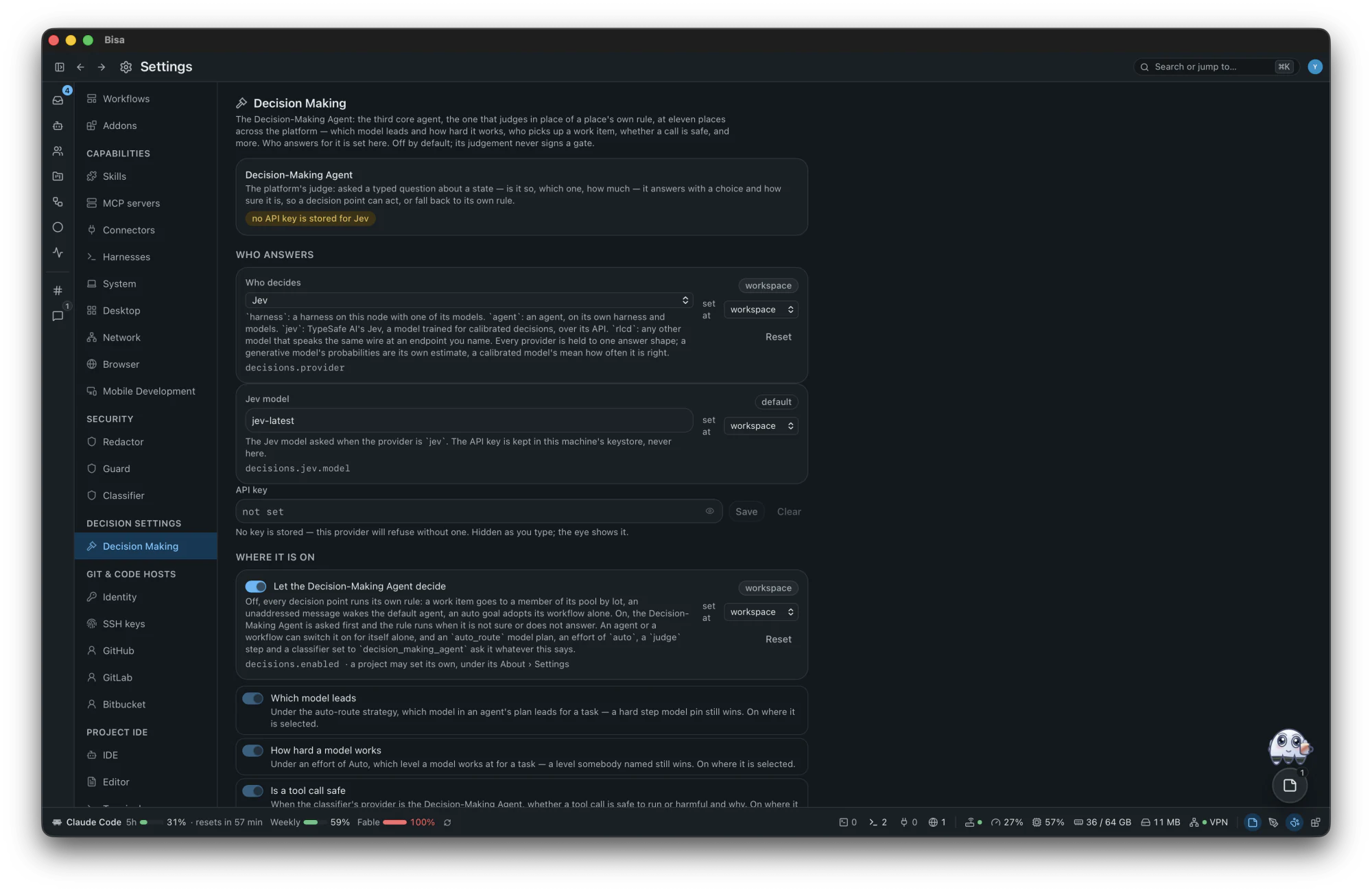
The Decision-Making Agent answers typed questions (is it so, which one, how much) with a probability, instead of a guess written into a rule. It is off until you choose who judges.
- 11 decision points ask it first (which model leads a launch, how hard it works, who of a pool takes a work item, whether a tool call is harmful) and fall back to their own rule the moment it is off, unsure or silent.
- Calibrated answers come from Jev or any RLCD model; a harness or an agent can answer too, marked uncalibrated.
- A judge step routes a workflow by what it answers. A judgement never signs a gate.
Addons
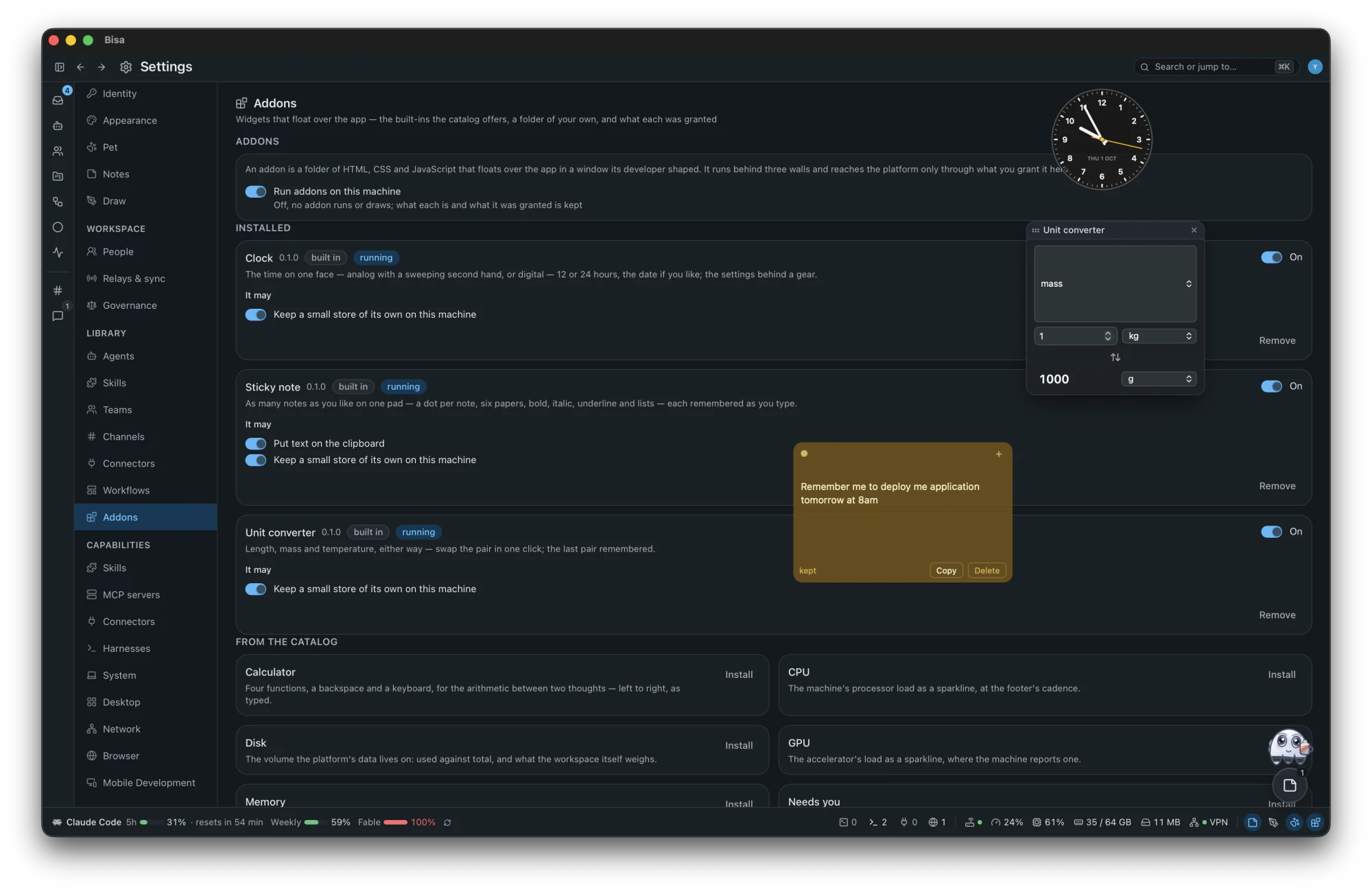
Small windows over the app, each a folder of HTML, CSS and JavaScript: Calculator, Clock, CPU, Disk, GPU, Memory, Needs you, Pomodoro, Sticky note, Stopwatch, Tic-tac-toe, Unit converter and Weather. A folder of your own imports in one step, and one key shows or hides them all.
- Three walls (a sandboxed frame with no token, a files route under one strict policy, the window's own navigation rules) and one bridge of seventeen methods.
- Each method needs a permission you granted, from a closed list of ten; an imported addon starts with nothing granted.
- The network only through the platform, and only to the hosts its manifest declares.
Command line and APIs
One binary is the command line (bisa), the daemon (bisa node, an HTTP API with one event stream on a socket of your own) and the MCP server every harness session is handed (bisa mcp). Agents can be exposed and used over A2A. The desktop is a Tauri app that drives the same node.
A hundred things people ask of it
Each is a goal over the platform's generic parts; no scenario is built in. Of the hundred, 45 run on what ships, 42 have a person's step in them by design, and 13 need a connector you write as a file.
- 45 runs
- 42 with you
- 13 custom connector
Software delivery
- Make a landing page for my product and show it to me in a browser.runs
- Here is the repo; finish what is left.runs
- Migrate a service from one framework to another with no downtime.with you
- Fix a flaky test suite and keep it green for a month.runs
- Weekly dependency upgrades with a pull request.with you
- A nightly security audit of my repositories.runs
- Reproduce and triage every new issue within an hour.with you
- Build a command-line tool and publish it on tag.with you
- Port a data pipeline to another language with parity tests.runs
- Onboard me to an unfamiliar codebase.runs
- Hunt a performance regression after a release.runs
- Pair with me live on a bug in the IDE.runs
Mobile apps
- Build, publish and maintain an iOS app on a two-week cycle for a year.with you
- The same app on Android.with you
- Fix a crash reported in the store console.with you
- Ship an MVP from a design link.runs
- Localise the app into eight languages before each release.runs
- Review the store reviews weekly with reply drafts.custom connector
- Wipe and re-provision the test devices nightly.with you
Web, e-commerce and client sites
- Run a client's WordPress store with daily security and SEO checks.custom connector
- Set up a store and import its catalog.custom connector
- A weekly uptime and quality report for six client sites.runs
- Move a static site from one host to another.with you
- A demo funnel: landing page, form, a message in the channel.runs
- Watch ten competitor pages daily and alert on change.runs
- Recover a hacked site.with you
- Translate a marketing site with a right-to-left review.runs
- Audit the cookie banners across the portfolio.runs
Open source and community
- Contribute to an open-source project for a month: issues, reviews, fixes.with you
- The same for a year, becoming a maintainer.with you
- Answer questions on the project's forum daily.custom connector
- Triage new issues and label duplicates.with you
- Cut a release with notes every two weeks.with you
- Keep the documentation's examples compiling.runs
- Review incoming pull requests within a day against a checklist.with you
Team collaboration and tickets
- Work my team's tickets, ask before pushing, answer the chat.custom connector
- A daily stand-up summary into the channel from the board.with you
- Turn a specification page into tickets.with you
- Keep two trackers in sync.with you
- Facilitate sprint planning with estimates.runs
- Keep the knowledge base current from merged work.with you
- A board for a marketing team, cards from a form.with you
- Review a colleague's branch when asked in the channel.with you
- Teammates on other machines approve my agents' work.with you
Content, social and media
- A faceless video channel, one video a day, learning from the numbers.custom connector
- A daily digest of my feed at eight.custom connector
- Post a daily thread from my notes.with you
- Cross-post articles to three publishing platforms.custom connector
- A carousel three times a week.with you
- A weekly performance report.runs
- Show notes and chapters from an audio file.runs
- A newsletter every Friday, approved on my phone.with you
- Reply to the channel's comments daily in my voice.custom connector
- Cut one long video into ten shorts.custom connector
Research and knowledge
- A research paper with a novel contribution.runs
- A weekly digest of new papers on a topic.custom connector
- A competitive analysis of five products.runs
- Why does this module exist?runs
- A personal knowledge base from my reading.with you
- Fact-check a draft with citations.runs
- Reproduce a paper's results.runs
- A prior-art search.runs
Hiring, HR and people operations
- Hire a developer end to end, through onboarding.with you
- Weekly one-on-one preparation from the tracker and the channel.runs
- An onboarding buddy answering a new hire's questions.runs
- Performance review drafts from merged work.runs
- Contractor invoices against timesheets, monthly.runs
- Schedule interviews with candidates by mail.with you
- Plan the team offsite.runs
Personal life and errands
- Buy a house abroad as a foreigner.with you
- Buy the best book on a subject this year.with you
- Check my mail at six, answer the important, drop the rest.with you
- Plan a two-week trip within budget.with you
- Renew my passport.with you
- A weekly meal plan and the grocery order.with you
- Track my expenses from bank exports monthly.runs
- Learn a language in twelve weeks with a weekly review.runs
- Keep the family's shared calendar free of conflicts.with you
Operations, support and reliability
- Handle support tickets from a form and from mail.with you
- On-call incident response with a runbook.runs
- Verify the backups daily.runs
- Watch certificate expiry.runs
- A weekly cloud cost report.with you
- A postmortem after each incident.runs
- Rotate the secrets quarterly.with you
- A service-level dashboard from the tracker.runs
- Watch a folder of incoming files and load them.runs
Business, sales and finance
- Sell my application: pricing, positioning, launch, ads.with you
- A weekly pipeline review from the CRM.custom connector
- Invoice clients monthly through the payment provider.custom connector
- A board deck every quarter.runs
- Due diligence on a startup.runs
- Respond to inbound leads within ten minutes.with you
- Grant applications with deadlines.runs
Standing routines
- Answer the channel through a computer-use harness.with you
- A morning briefing at seven: calendar, mail, tickets, news.runs
- A weekly review of every goal's spend and outcome.runs
- Nightly repository hygiene: a stale-branch report, no deletions.runs
- Plan the week's goals with me every Sunday.runs
- A goal that runs for a year without babysitting.with you
Read every row with the parts it uses: the scenarios guide.
Not there yet
Said plainly, so nothing surprises you:
- Releases are for macOS; Linux and Windows are coming soon, and build from source today, unsigned, without the menu bar icon or system notifications.
- English is the only interface language.
- Language servers give diagnostics, hover and definitions; no completion or rename.
- The guard vetoes what Claude Code, GitHub Copilot CLI and ACP agents ask; Codex, OpenCode, pi, Oh My Pi and a custom harness are observed, not vetoed.
- The app checks for a newer release only when you ask; it does not update itself, and a release may not read an older workspace.
See it on your own machine
Free and open source, for macOS 11 or later. No account to make.
Download for macOS